This AI-generated video was created with HeyGen using my photo, voice clone, and an AI-assisted script.
I developed FlowOS not in a lab, but in the middle of a client project gone wrong. We had all the right AI tools, the best models, and a team that was ready to go. And yet, after three weeks, the system was producing results that were technically correct – but completely unusable for the people who had to act on them. The bridge between AI’s probabilistic output and the deterministic logic of a business process was missing. FlowOS is the bridge I built. It’s not about making AI smarter. It’s about making it fit – into your workflows, your rules, your people
To ensure optimal readability on mobile devices, this framework is displayed in a vertical format. The two graphics form a single unit: The top graphic shows the overall roadmap (linking Strategy, Discovery, and Delivery), while the bottom graphic zooms in on the internal flow and decision gates (Validated vs. Not validated) within those zones.
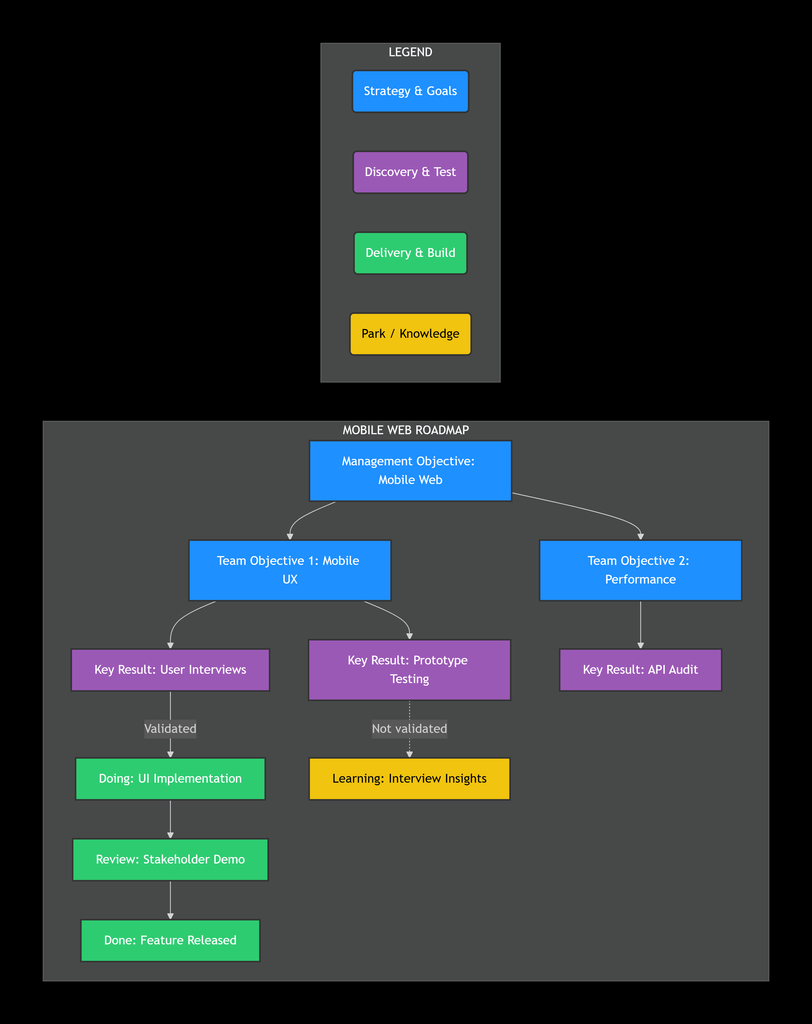
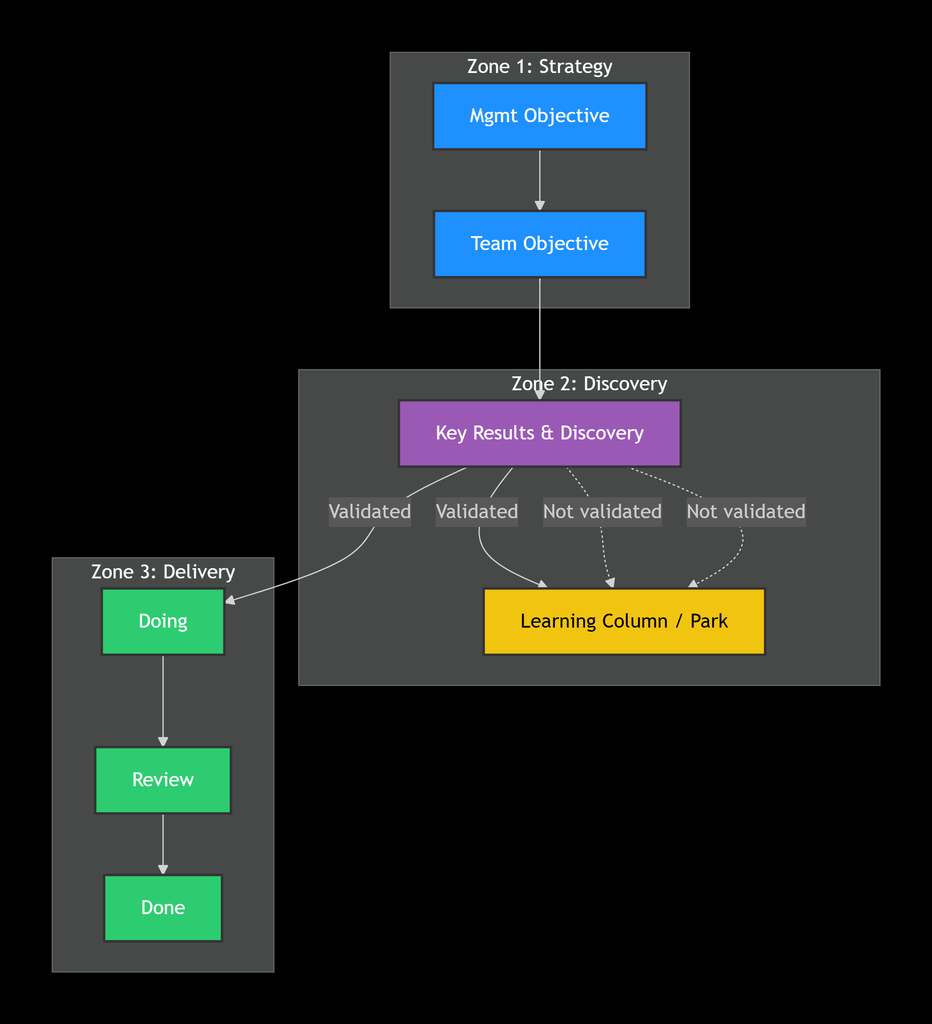
How this maps to your classic workflow:
The standard Kanban flow of To-do → In Progress → Review → Done is fully preserved within the vertical FlowOS system, but with an added layer of strategic depth.
-
To-do corresponds to the purple Discovery zone (Key Results & Validation) – work is only “to-do” once it has passed the discovery gate.
-
In Progress corresponds to the green Doing column.
-
Review remains exactly where you expect it.
-
Done is represented by the final green Done column.
The blue Strategy and yellow Parking zones act as the context around this flow: defining why the work exists, and capturing what we learned from work that didn’t make it through.
If you would like to seen an interactive vusial, click the link here (opens a new tab).
To read or download the book, click here FlowOS_Framework >